 My Dream Peaks
Getting started
Your account and privacy
Joining, signing in, your profile, who sees your climbs, two-step sign-in, and taking your data with you.
Joining
Press Join at the top of any page (or on the home page) to join with an email address and a password, or with your Google account. Many members join through an invitation from a friend: the invitation link already knows who invited you, and you become connected to them when you join.
After joining, check your email for the link that confirms your address.
Your profile
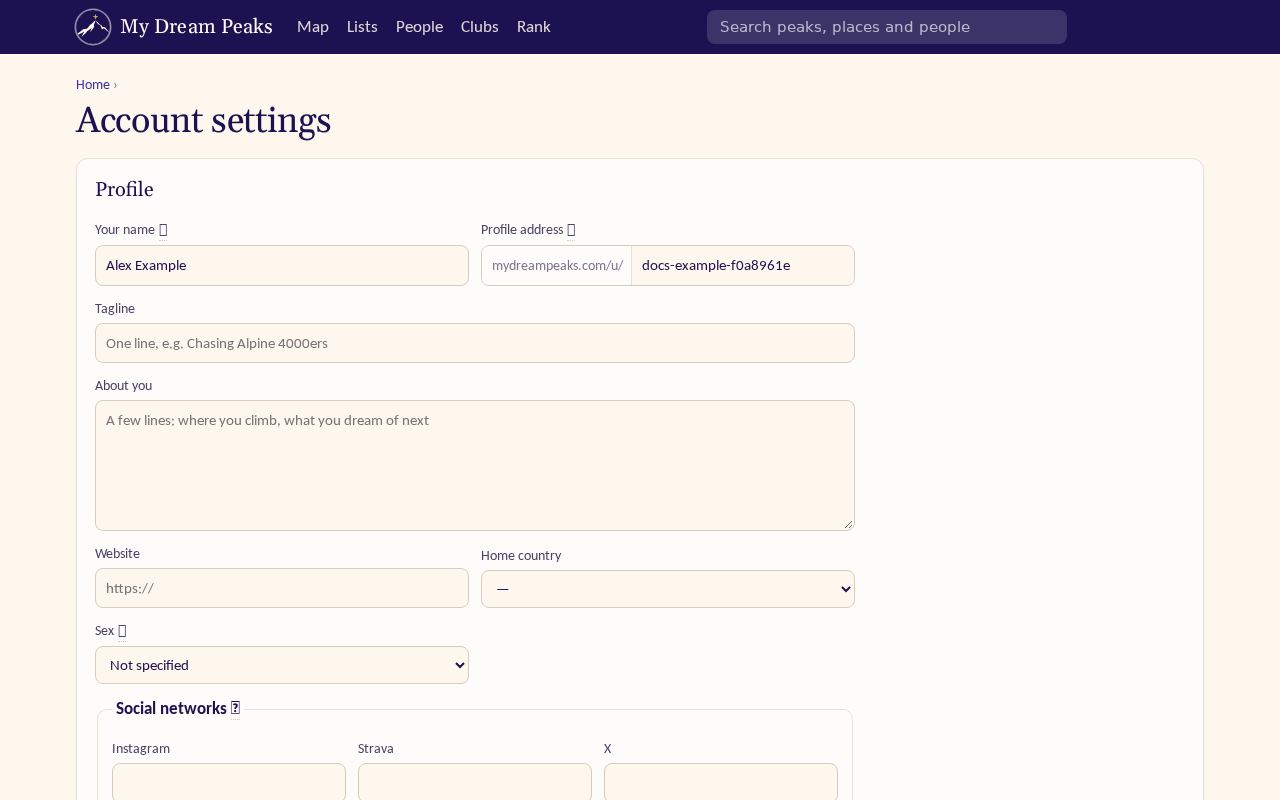
Your profile lives at mydreampeaks.com/u/your-handle. Open the menu under your photo (top right) → Account settings to change:
- your name, profile address (the handle in your link), tagline, a few words about you, website, home country, and your usernames on other social networks;
- your photo;
- the email addresses friends know you by. Once confirmed, you can sign in with any of them, and invitations sent to them reach you instead of creating a second account.
Who sees your climbs
Under Who can see your profile and climbs pick one:
| Setting | Who sees your climbs, visits, trips, stars and lists |
|---|---|
| Private | Only you. |
| Connections | Members you have connected with. This is the default. |
| Public | Anyone, including visitors who are not signed in. Your profile can then appear in search engines. |
You can make a single climb or trip more private than the rest when you log or edit it. Some things are never shown to other members: your email address, your sex (used only to work out training load from heart rate), Garmin data you haven't shared, and your answers to the import questions. When others see a climb with a GPS track, the track is trimmed away from where the activity started and ended — which can be your home.
Link previews. When you share a link to your trip or climb, the preview image uses the photo you chose as its cover. Without a cover the preview is a card drawn from the climb or trip itself — we never put your photos in a preview you didn't choose.
Signing in safely
- Two-factor sign-in: Account settings → Security → Set it up, with an authenticator app on your phone. You'll be asked for its 6-digit code when you sign in.
- Forgot your password? Use Forgot your password? on the sign-in page; the reset link goes to your email.
- Google: Connect Google under Security to sign in with one click. If you joined with Google, you can Set a password too.
Your data
Under Your data you can download your profile, climbs, lists and stars as a file (JSON), or delete your account. Deleting removes your climbs, tracks, trips and photos from the site, and it can't be undone.
Checked against the site on 17 November 2026 · All help pages · Questions: [email protected]