 My Dream Peaks
Exploring mountains
Peaks, lists and the map
Finding a mountain, reading a peak page, following peaks, peak lists, the map, ranking and comparing peaks.
Finding a peak
The catalogue comes from Wikidata, plus summits Wikidata lacks from Camptocamp (CC BY-SA) and from national surveys — the Database of British and Irish Hills, swisstopo and South Tyrol's place names. A peak from one of them credits it under its height.
Type in the search box at the top of every page. Suggestions appear as you type — peaks, huts and camps, climbers, clubs, and (when you're signed in) your own climbs, trips and places, marked with your photo. Press Enter for the full results, split into tabs: All · Peaks · Huts and camps · People · Clubs · Mine.
On the Peaks tab you can narrow the results with filters — continent, country, range, height, kind of climb, effort, the best months — and sort them. Other ways in:
- Map (top menu): every peak, zoom in to see more; click one to open it.
- Maps on continent, country, region, range and list pages: click a marker once to pick it out (it turns red, and nothing covers the map), and click it again for its card — on any map on the site, including profiles, trips and tracks — with its height, country, range and, for researched peaks, its category and the normal route's technical difficulty and effort (1–7, as on its page). In the table under the map, the crosshair next to a peak's name (or a sight's, hut's or camp's in their tabs) moves the map to it and picks it out in red, like a first click; click the marker for its card.
- Continents, countries, regions and ranges: each has its own page listing its peaks, highest first. Sort the list by Most prominent (how far a peak stands above the col to higher ground) or Most isolated (how far it is to higher ground) too; peaks without that figure come last. Your own climbs (All peaks on your profile) sort the same ways.
- Maps show the peaks you climbed in green, once you're signed in.
Country pages
A country page opens on its Overview: a card of its highest peak, a map of its best-known peaks (and the ones you climbed), its lists and its main ranges. Down the side are its regions and mountain ranges, highest first, to jump straight to the big ones. The tabs come in two groups: what's there — Peaks · Passes · Huts and camps · Sights — and how it divides up — Regions · Mountain ranges. Where a country's smallest units are counties or provinces, the page shows the bigger ones people know first — England, Scotland, Wales and Northern Ireland; Italy's, France's and Spain's regions — and each of those has its own page with its smaller areas inside.
You and the country (signed in) gathers your relationship with it: peaks climbed and attempted, passes crossed, huts and villages reached, sights, trips and your photos taken there — each number opens the details — plus a picture bar of the places you've been and your highest and latest climb. Below are your connections (how many peaks each has climbed there; the name opens their profile, the count opens what they did in that country — only what they share with you) with the peaks they climbed that you haven't yet, and your clubs with their official events there.
- Lists: the famous lists and members' own.
A peak page
Every peak has a page with its height, prominence, country and range, a map with the peaks around it, the lists it belongs to, and its other names. A peak or place known only by a name in another script shows a Latin reading in brackets, such as Мокра Планина (Mokra Planina) or ჩათის მყინვარი (Chatis Mqinvari). Researched peaks have much more:
- Why climb it? and fun facts;
- Routes, with grade, time and the huts and camps on the way;
- Huts, camps and trailheads that serve the peak;
- Climbers and history: first ascents and famous climbs;
- Weather forecast for the summit, with today's sunrise, sunset and daylight above it (local time);
- Sources for everything we say, often in the local language, with translations.
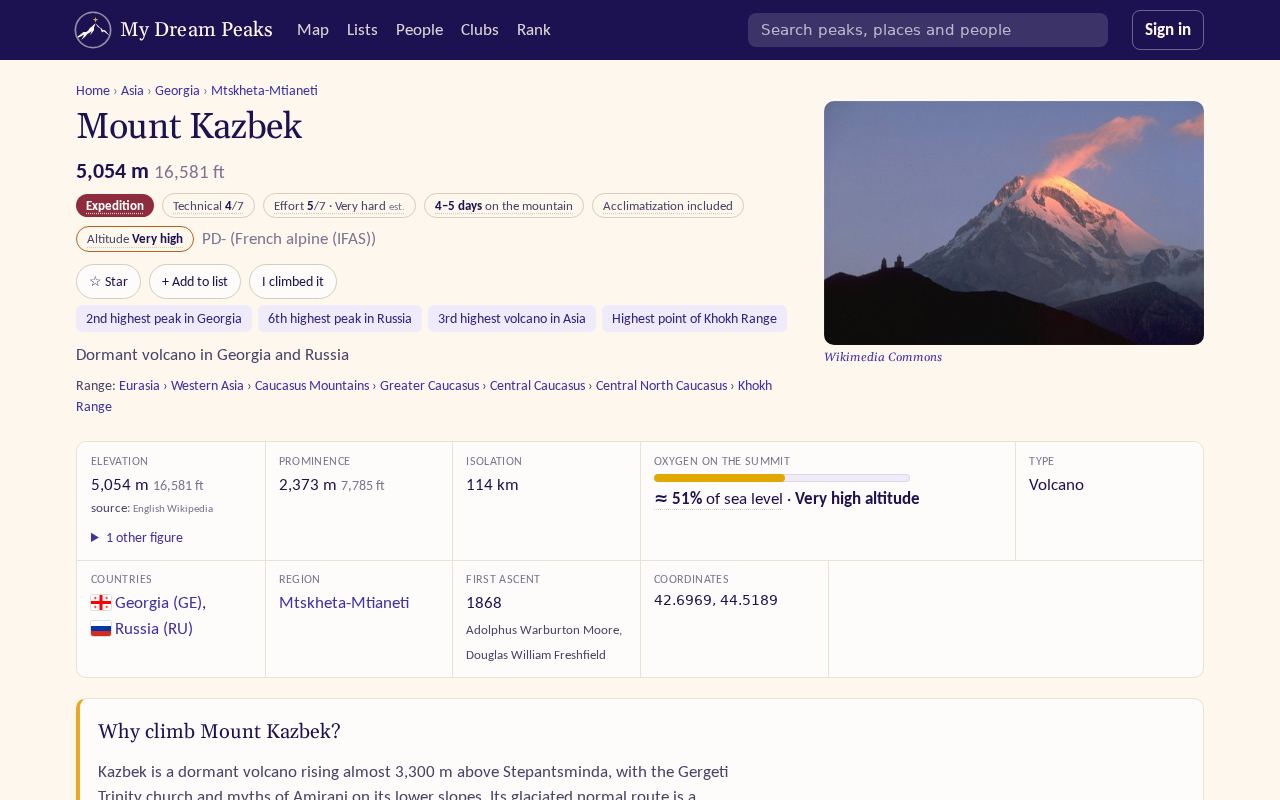
When we know different heights from different sources, the page shows the one from the English Wikipedia and lists the others with their sources under Data notes.
Your buttons on a peak
Signed in, the top of every peak page has your buttons:
- I climbed it (for a pass: I crossed it) and I attempted it — log a climb (see Logging climbs and visits). Once you have, the page shows your climbs of it, your photos taken there, and links to each climb.
- ☆ Star — follow a peak you're interested in; it shows under Starred on your profile.
- Want to climb — put it on your wish list. It shows in your lists and on every list the peak belongs to.
- + Add to list — put it on one of your own lists.
Lists
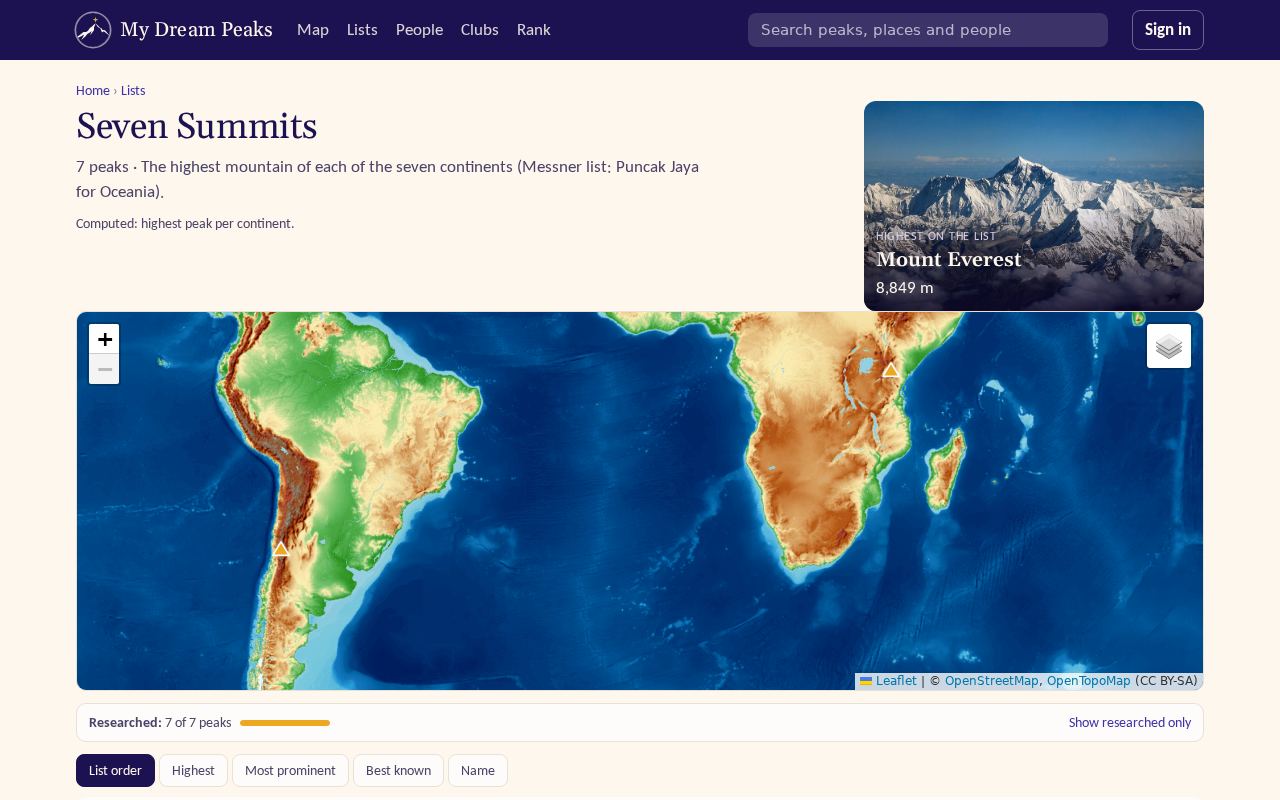
Lists (top menu) has a search box that finds any list by name, country or region, and the famous ones — the Seven Summits, the 8000ers, the Colorado 14ers and many more — and lists members made. Most countries also have their own short lists, on the country page and under By country (grouped by continent): its 10 highest and 10 most prominent peaks, the high points of its states, regions or nations (the UK: Ben Nevis, Snowdon, Scafell Pike, Slieve Donard), and its highest volcanoes. Those count only independent mountains — a shoulder of a bigger peak doesn't make the top 10 — and each says how it is made. Each list shows every peak on it, with a picture, on a map; when you're signed in, it shows which ones you've climbed (green on the map) and your progress. A member's progress on a list (from their profile) is the same page for them: their climbs in green, with the year. You can make your own lists (New list of your own on your profile), and clubs have theirs.
Rank and compare
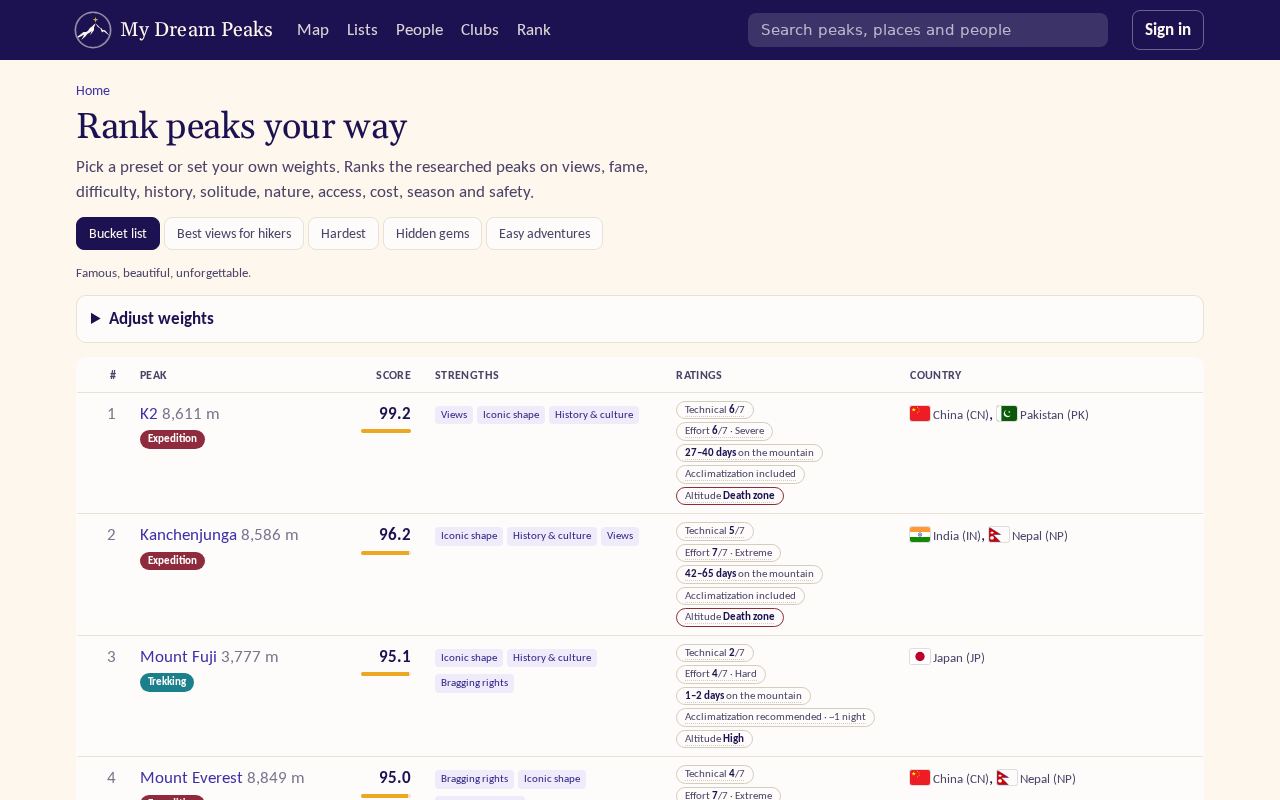
- Rank (top menu) orders researched peaks by what matters to you: move sliders from −3 (prefer less of it) to +3 (matters a lot) for height, remoteness, fame, technical difficulty and more, or start from a preset.
- Compare: on any peak page, Compare with… puts two or more peaks side by side.
Checked against the site on 18 November 2026 · All help pages · Questions: [email protected]