 My Dream Peaks
Your climbs and trips
Trips
Multi-day climbs, treks and expeditions: suggested from your tracks or added by hand, shown day by day with a map and photos.
A trip is several days that belong together. There are three kinds:
| Kind | What it is | For example |
|---|---|---|
| Climb | straight up to one summit, with a night or more on the way | Mount Kazbek, Elbrus, Mount Hood |
| Trek | a journey or a destination | Everest Base Camp, the Tour du Mont Blanc |
| Expedition | acclimatisation, ups and downs, a big summit (or several) | Aconcagua, the Ecuador volcanoes |
A trip contains climbs and visits — each summit is still its own climb with its own page and certificate — and nothing is counted twice.
Where trips come from
Suggested from your tracks. After a Garmin import, the site looks for days that go together — high days, nights at huts or up high, a rest day between two climbs — and suggests them as trips. A long weekend of hiking far from home in a national park is suggested too, as a "one trip?" question. Find them on your profile → Trips.
For each suggestion:
- Confirm it if it was a real trip, or
- Not a trip if it wasn't (it moves under Skipped).
Open a suggestion first to fix its name or days. Confirming is up to you: having many tracks doesn't make every cluster a trip.
Added by hand. For a trip without GPS: Trips → Add a trip by hand, with its first and last day. Its days show the climbs and visits you log on those dates (log them with I climbed it on the peak's page, or I was here on the hut's).
Editing a trip
On the trip's page press ✎ Edit trip. You can change:
- its name and kind;
- who can see this trip — the same as your profile, or different;
- who you were with — they get one notification for the whole trip, and you can add them to the trip's climbs and hut visits too;
- club trip — offer it to one of your clubs;
- notes, and the day titles;
- which days (tracks) it includes;
- the places of each day — under Places, day by day, each day has Edit places (see below).
Saving confirms it.
Editing a day's places
A day's places and climbs come from your GPS tracks. To correct them, open the day — Edit places on a trip's edit page or a climb's page, or ✎ Edit places on a track page. The page has three parts:
- This day — everything on the day, in order. ✕ a place you weren't really at (it stays off, even when the site recalculates; Undo brings it back), ↑ ↓ put the day in order. Climbs link to their own page, where you change or delete them.
- The night — at the end of my last track (the site works out the place), at a place of the day, or I didn't stay out overnight (you drove home or to town — the trip then shows no night).
- Add — two buttons: Search by name (any place or peak; what is near your day comes first) and Search by location (places and peaks within 500 m, 1 km, 2 km or 5 km of your track, or of the places you entered — a track is often only part of a day). + Add puts it in the day; a peak becomes a climb, a Summit or an Attempt.
Nothing here changes your tracks or anyone else's record. How this works at the top says the same in short.
Reading a trip
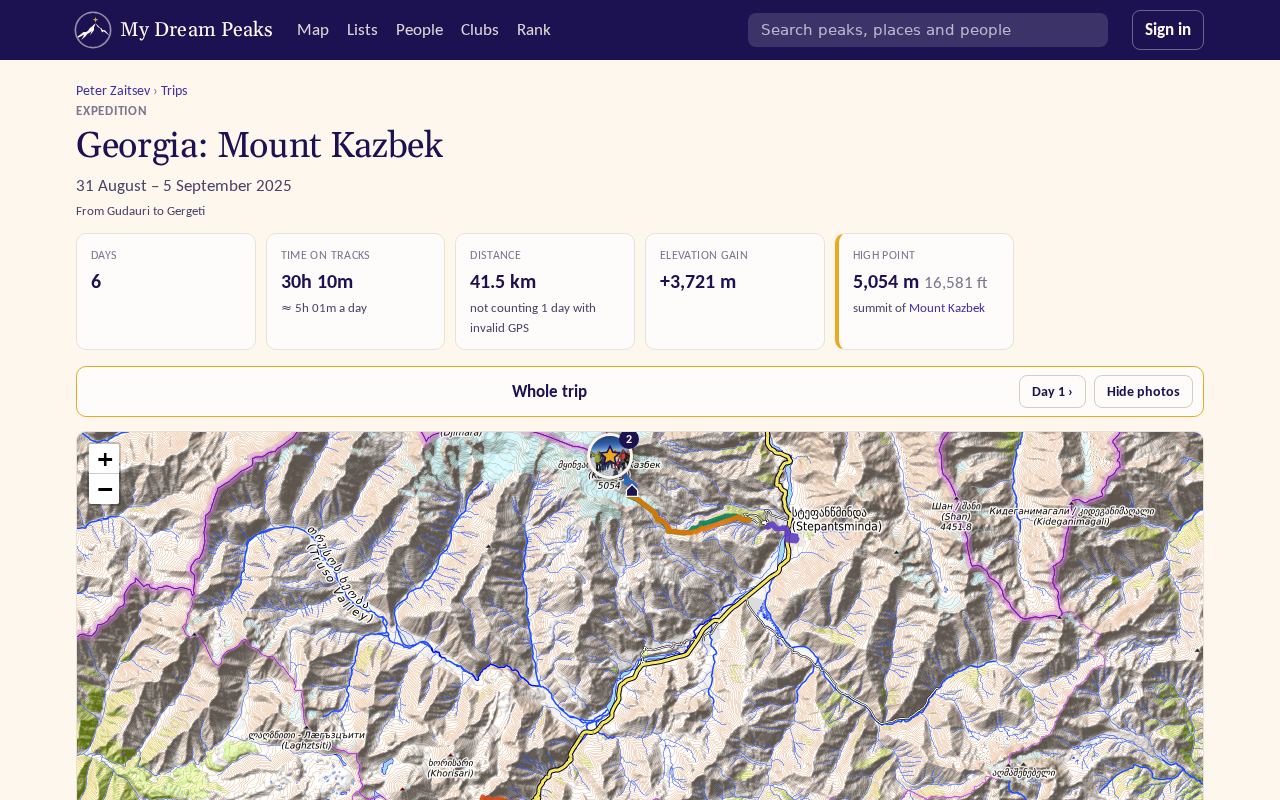
- The map shows every day's track. The day bar above it picks one day; Hide photos clears the photo pins so you can follow the track.
- Summits and crossings, and Huts, camps and sights — picture cards of the trip's most notable places (at most 12: where you slept first, then the best-known waterfalls, glaciers, lakes and other sights). Every place the trip reached is on the map and in the day table.
- On the map, click any marker — a summit, a hut, a sight or a river — to pick it out in red; click it again for a card with a link to its page. The crosshair on a card does the same as the first click. In the lists, a name opens its page and pointing at it lights it up on the map.
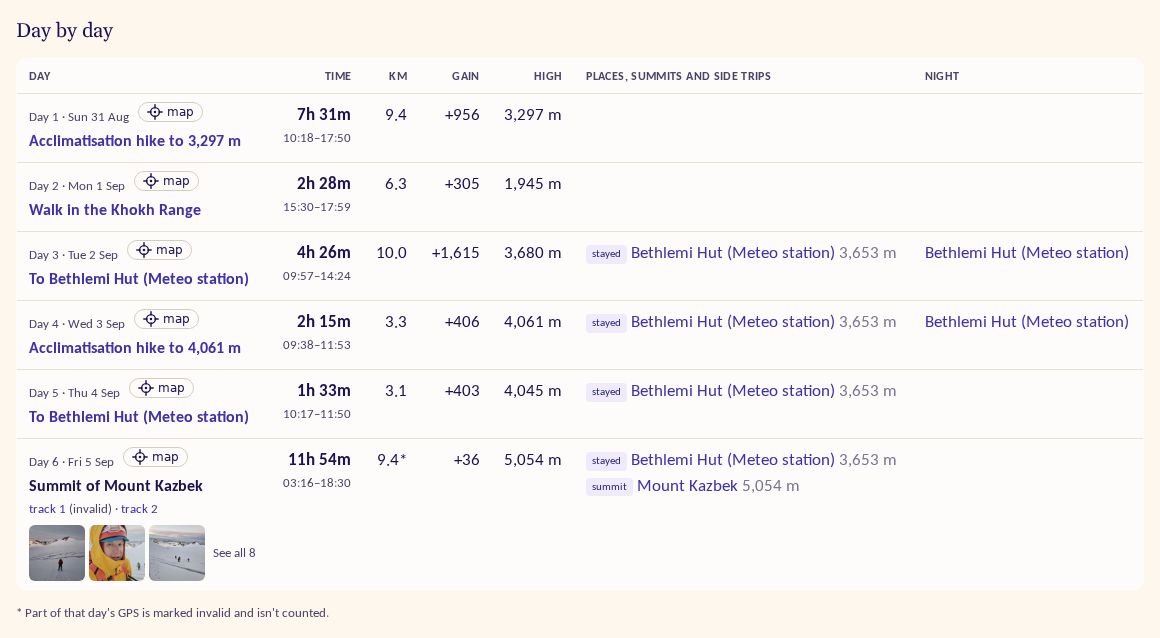
- Day by day — each day's title (on a summit day it opens your climb, where Edit changes the climb itself; the tracks are linked under it), its tracks by name (Khoburtse to Urdukas; see track names), what they reached, the rivers they crossed, and up to three of the day's photos with See all.
- Photos — a strip of the trip's photos that fits the page, with +N more and See all (and a slideshow). See Photos.
Trips with friends
If you were on someone's trip, open it and press I was on this trip too; they confirm, and it's added to your trips. Next to a companion who confirmed, the small route icon opens their own trip; point at it to see what it is. You can ⚑ Feature your best trips at the top of your profile.
Checked against the site on 18 November 2026 · All help pages · Questions: [email protected]