 My Dream Peaks
Your climbs and trips
Logging climbs and visits
Add a summit, an attempt or a pass crossing by hand — with or without GPS — and what a climb page gives you.
There are three ways to get your climbs onto the site:
- By hand, one at a time, from the peak's page — this page.
- From a list you already keep — a spreadsheet, notes, a logbook (below).
- From your GPS tracks, found automatically — see Importing from Garmin.
You can mix them freely. When a Garmin import finds a climb you already logged by hand within a day, the two are joined: your notes, route and partners stay, and the climb gains the track. When it's less certain (only a month or year, or a few days apart), you're asked whether they're the same climb.
Logging a climb by hand
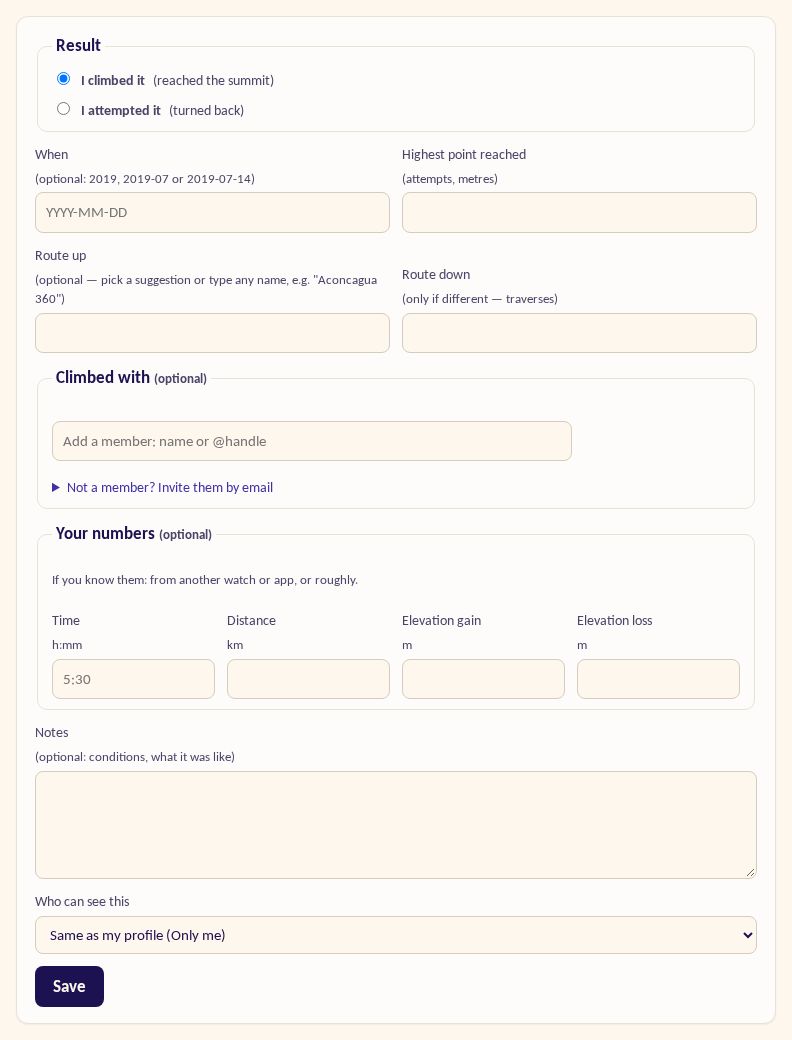
Open the peak's page (use the search box) and press I climbed it — or I attempted it if you turned back, or I crossed it for a pass. Then fill in what you know; only the result is required:
- When — a full date, just a month, or just a year. Old climbs are welcome.
- Highest point reached — useful for attempts.
- Route up — pick a suggestion or type any name; Route down only if it was different (a traverse).
- Climbed with — members you're connected to, or anyone else by name and email. On a climb page, the small route icon next to a companion opens their own climb of the same peak (when they logged it). They get an invitation to join and confirm they were there (see Connections, partners and clubs).
- Club event — if it was a club outing, a club admin can accept it into the club's record.
- Notes.
- Who can see this — the same as your profile, or a different setting for this one climb.
Climbed it more than once? Press + Log another summit on the peak page. To change or delete a climb later, open it and press Edit climb. The other places of that day — the hut you slept in, a glacier, a lake on the way — are changed with Edit places next to it. It opens the day editor, which works without a GPS track too: search by name or around the summit, and what you add shows on the climb page under On the way (with a track) or Also that day (without one). A climb with a night at the top (Marmolada's summit hut) lists its two days as Up and Down.
No GPS? No problem. Everything on the site works without a track. Numbers like time and distance are optional and you can type them in yourself.
Adding many climbs from a list
Menu → Import climbs → Add climbs from a list. Paste one climb per line — the peak and a date. Dates can be 2019, 2019-07, 2019-07-14, 14.07.2019 or July 2019, and peak names work in any language. Nothing is saved until you've reviewed the matches; then press Save.
A climb's page
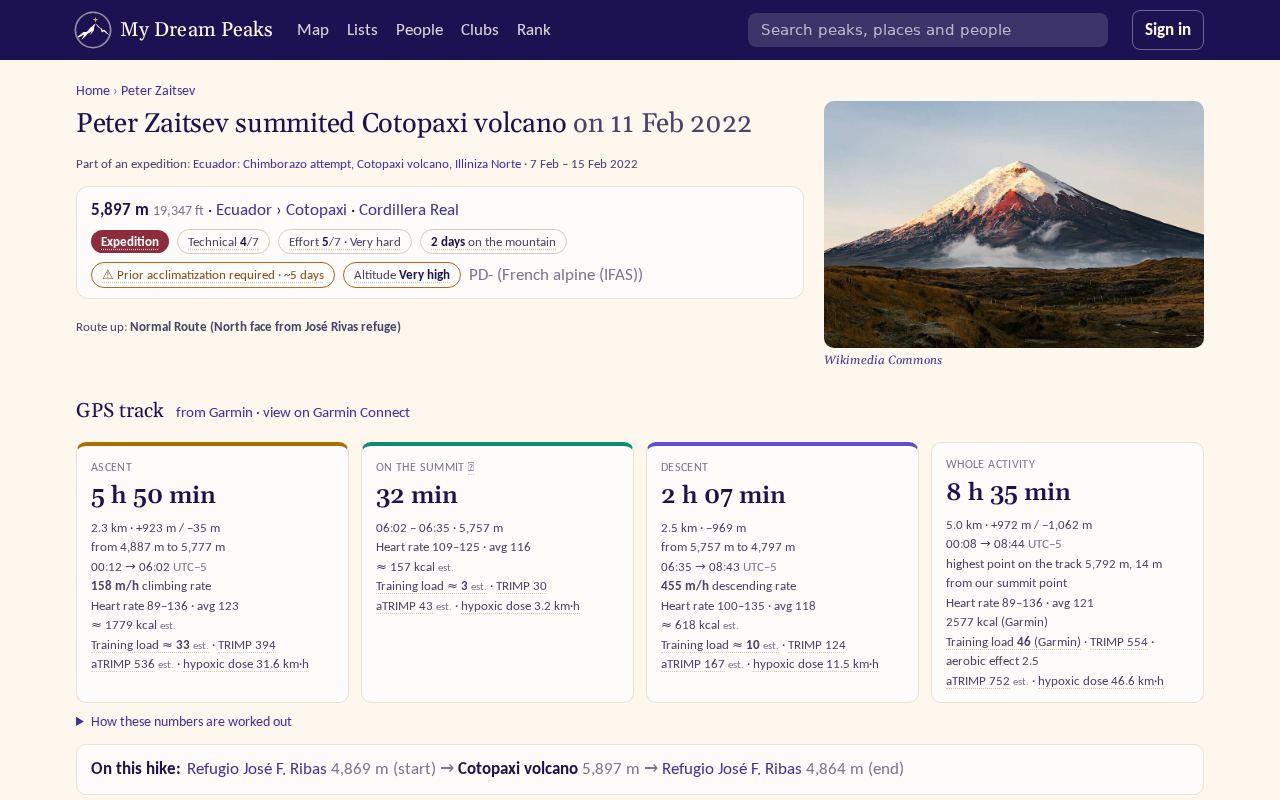
Each climb has its own page, linked from your profile and from the peak. With a GPS track it shows:
- the track on the map, and On the way: the summits, huts, sights and rivers you passed, as on a track's page;
- elevation by distance and by time, with the stages of the day — if we got where the ascent started or ended wrong, Edit stages lets you fix it;
- the numbers of the ascent and the descent: time, height gained, pace, heart rate and training load;
- the climb's photos, the people you climbed with, your notes.
Also on your climb's page:
- Your rating — one to five stars. Only you see it.
- ⚑ Feature — show the climb among the three at the top of your profile, your proudest ones.
- Summit certificate — an image of the climb to post on Instagram and elsewhere: choose what it leads with, the map, and the size (square, post or story), then Download. It shows your name, the peak, the numbers and the route — never your heart rate or notes.
- Mark the GPS as wrong — for a track whose positions were off (GPS jamming near some borders and airports, a poor signal). A marked track adds no climbs by itself.
Visits to huts and camps
A visit works like a climb, for a place: press I was here on a hut's or camp's page. Visits found in your GPS tracks are offered to you on the import page and in your trips.
Checked against the site on 18 November 2026 · All help pages · Questions: [email protected]